

 within 24
Hrs +
60
Days Free API Panel
within 24
Hrs +
60
Days Free API Panel
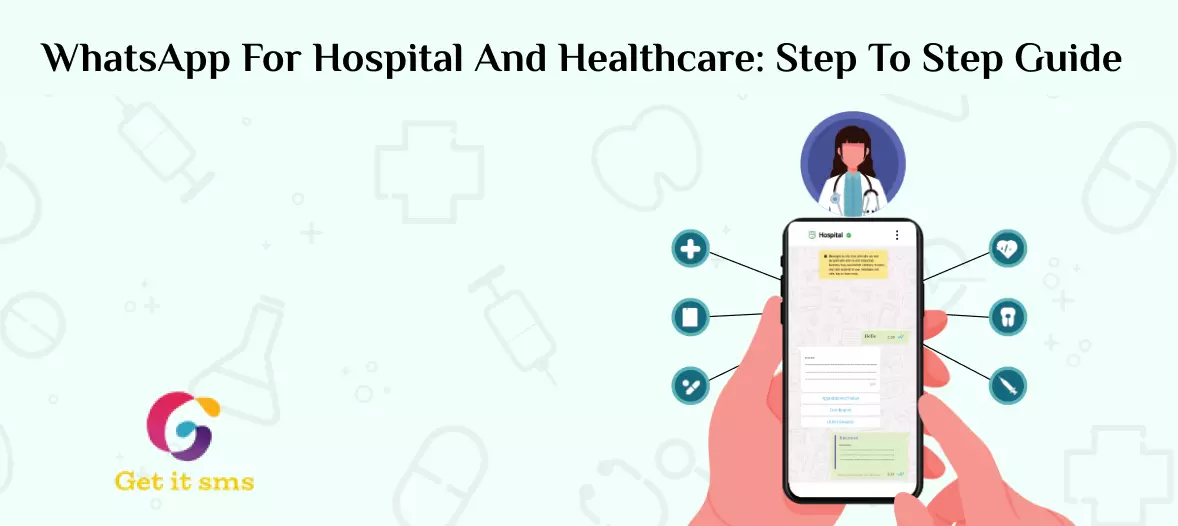
How to Utilize WhatsApp Business API for the Healthcare Industry
 4 minutes read
Last Updated :
May 28, 2026
chat_bubble
Want To Send Bulk SMS?
If yes, then test our service for FREE.
Want To Send WhatsApp Msg?
If yes, then test our service for FREE.
code
Get a Free Trial of WhatsApp API
Every day, patients make a call to their hospital to book an appointment or get the test result. They often have to wait on hold for 10 minutes or more. And some of them just give up. That one missed call cost thousands in lost revenue.
It is just a small issue. Missed appointments alone cost the healthcare industry over $150 billion each year. Traditional channels like phone calls, SMS, or emails are no longer enough to meet current patient expectations.
That’s where WhatsApp Business API for healthcare emerges as an effective solution for timely conversation. With a user base of 3.3 billion globally and an open rate of 98%, WhatsApp is already a place where most of your patients are.
In this guide, we will cover different ways of using WhatsApp Business API for healthcare to improve patient conversation, engagement rate, and deliver a more personalized experience.
What is WhatsApp Business API for Healthcare?
WhatsApp Business API for healthcare is an end-to-end encrypted messaging tool used to simplify the communication between healthcare providers and patients. Unlike a WhatsApp Business App that works for a small clinic, the WhatsApp API is built for medium to large healthcare organizations that want to communicate at scale, automatically, and securely.
Using WhatsApp Business API, a healthcare organization can:
- Robust and scalable messaging infrastructure
- Manage patient conversation with multi-agent support
- Broadcast messages for health alerts and awareness campaigns
- Seamlessly integrate with the existing CRM system
- 24/7support for common patient queries using AI-powered chatbots
- Compliance-ready messaging that meets healthcare regulations
With GetItSMS WhatsApp Business API, hospitals can deliver real-time, personalized, and compliant messaging to 1,000+ patients simultaneously. They can have communication run on autopilot, giving the staff more time to spend on patient care.
WhatsApp Healthcare Statistics That Show Real Impact
Before we get into the benefit section, let’s just data do the talking. Here are the results healthcare providers see after switching to WhatsApp API-based communication.
| Metric | Result |
| Patients who prefer messaging over phone calls | 95% |
| Healthcare providers reporting better patient engagement | 87% |
| Reduction in missed appointments with automated reminders | 73% |
| Faster response times vs. traditional phone calls | 65% |
| Patient satisfaction with WhatsApp-based communication | 89% |
| WhatsApp message open rate vs. 20% for email | 98% |
The above numbers simply tell that patients respond better, show up more, and feel more satisfied when healthcare connects via WhatsApp.
Why Use WhatsApp Messaging for Healthcare?
The use of WhatsApp means that healthcare organizations enrich patient experience and optimize patient communication by adapting to each patient’s needs. Below are the advantages of implementing WhatsApp Business API for healthcare:
1. End-to-end encryption keeps patient data safe
WhatsApp healthcare messaging works with a provided method for end-to-end encryption and secure sharing and communication. All the data has been retained securely on the cloud.
2. Instant delivery and response
Compared to other communication methods, messages sent via WhatsApp get delivered and read within minutes. Such an instant resolve to a patient’s query leads to fewer unnecessary follow-up calls.
3. No learning curve for patients
Patients can conveniently communicate, as there is no new app download or account creation required. Plus, most of your patients already use this channel in their daily lives.
4. Personalized communication
With API, you can even send an automated message to patients with their name and appointment time. It makes conversation feel more personalized and improves conversion rate.
5. Automation
Since the WhatsApp Business API supports AI-powered chatbots, the option helps the organization handle appointment bookings, reminders, report alerts, and common FAQs around the clock.
6. Save time and enhance efficiency
The most crucial factor for businesses is that it prevents time wastage and enhances service delivery. Automatic appointment reminders, confirmations, and rescheduling bookings save time and let staff focus on providing better quality of care for your patients.
Use Cases of WhatsApp Automation for Healthcare
Integrating a WhatsApp chatbot into your hospital system enables you to address patients’ concerns regarding appointments, consultations, or treatment, and so on.
Below are the effective ways healthcare and clinics are using it:
1. Scheduling appointments
Patients spend quite a lot of time because your team feels the pressure to attend to the calls as early as possible. At the same time, your staff isn’t able to assist other patients at the facility directly.
A WhatsApp chatbot can handle each conversation and complete the booking flow without any human agent needed.
For example:
“Hey there, I’m your assistant. How can I help you? To meet your requirements, select any of the options below.
- 1. Book an appointment
- 2. Confirm an appointment
- 3. Cancel an app
- 4. Reschedule your appointment
Result: Reduces booking call volume by up to 60%.
2. Appointment Confirmations and Reminders
No-shows often waste both patient and doctor time, disrupt schedules, and cost the hospital significant revenue each month.
What if you post messages to patients regarding their appointments one day in advance? Send an automated reminder 24 hours before the appointment with one tp option to confirm or cancel.
For example:
“Dear patient, this is a reminder message of your appointment today. Please come with your reports at the scheduled time. See you on time!”
Result: 73% reduction in missed appointments and a 99% message open rate.
3. Share report results
Patients waiting days for results and flooding phone lines for updates can increase the workload on staff.
WhatsApp Business API for Healthcare can be used to send a secure rapport link the moment results are ready in the system.
For example:
“Hey there! Here is the link to your blood test result, which was performed yesterday. We’re always available to help you. Feel free to get us anytime.”
Result: Lessen result-inquiry calls and keep your patient well-informed without any manual efforts.
4. Telemedicine & Online Appointment Support
Patients generally miss their online consultation due to missing links, forgetting the preparation instructions, or simply not knowing how to get started.
This can be fixed by sending a video consultation link, a pre-consultation checklist, and a digital prescription directly to their WhatsApp before or after the call.
Example message: “Hey [Name], your video consultation with Dr.Mathur is scheduled for 5 PM today. Tap here to join [link]. Please keep your ID and reports ready before the call.”
Results: Fewer telemedicine no-shows and instant delivery of digital prescriptions after the consultation ended.
5. Consultation and prescription reminders
People are often prescribed medication for a definite period. This can lead to a situation where a patient needs a new dose the moment the drug gives out.
Automated reminders for medicines can be sent to patients through WhatsApp. It not only feels personal, but it also gives the patient a chance to ask questions.
For example:
“Hello, it’s been a week since you visited your doctor. We have made the changes in the prescription. You can take a new dose of medicine in the next three days. See you!”
Results: Improves medication adherence
6. Insurance and Government Scheme Claims
Sometimes patients face quite severe difficulties when it comes to moving from treatment to claim.
Patients can send claims on WhatsApp, find out which services are allowed, and track their remaining treatment plans. Several back-and-forth texts were all it took. When you have set this procedure in GetItSMS, all you will do is watch the chatbot speak to the public.
For example:
Hello, Mrs. Sharma. Thank you for visiting us. How can we provide our services to help you? Please select from the available choices.
- Upload claim
- Check coverage
- Track claims
Result: Reduce insurance desk walk-in and inbound phone queries.
7. Send the payment link and Invoices
Manual billing follow-ups often result in delayed payments and longer accounts receivable cycles. The invoice may sometimes have to go via a week or so later.
You can now send an invoice directly via WhatsApp with an embedded payment link or QR code to let the patient pay immediately. It makes the whole payment process faster and less time-consuming.
For example:
“Hi, thanks for visiting our clinic. Please find the attached invoice for your treatment. If there is any due, please process the payment. If you face any transaction issues with the link, let us know.”
Result: Instant payment collection and a shorter billing cycle.
8. Collect feedback
The attitudes of patients towards the care given to them should be known. But phone surveys feel intrusive, and email surveys rarely get opened.
WhatsApp is a much more effective means of receiving an answer from a patient. You can simply send a short feedback message one hour after discharge, as the experience is still fresh.
For example:
“Hello [name]. If you like our service, please leave your valuable feedback with us.”
Result: 3 to 5 times better feedback response rate when compared to email surveys.
9. Post-Discharge Follow-Up and Care Instructions
The patient generally forgets discharge instructions after reaching home. It leads to medication errors, complications, and unnecessary re-admissions.
Your health organization can send an automated discharge summary, recovery plan, and medication schedule within 30 minutes of the patient leaving.
Example message: “Hey[Name], thanks for visiting us. Here’s your discharge summary and care plan for the next complete week [link]. Follow instructions carefully and call us if you have any issues.”
Result: Improves continuity of care after discharge
10. Health Camps and Preventive Care Campaigns
Hospitals often run vaccination drives, free health check-up camps, and awareness campaigns, but are not able to reach enough patients.
You can send a WhatsApp bulk message to a targeted patient list with camp details, reminders, and a registration link.
Example message: “Hey [Name], we are hosting a free general health check-up camp on [date] at [location]. Limited spots. Register here [link].”
Result: Higher registration rate and broader community reach.
How to Get WhatsApp Business API with Getgabs?
To integrate the official WhatsApp business API in your healthcare organization, go through these easy steps to leverage it for your business:
- At the initial level, sign up or log in to the Getgabs panel.
- Move to manual onboarding on the left side panel.
- To create an app, a Facebook developer account is used.
- Link a non-WhatsApp or new WhatsApp number to the API setup.
- Upload the required documents, like GST and MSME, to verify your company account on Meta. Verify that the business number will be used for the API.
- Move to the Getgabs app, and add needed details, including app ID, phone number, and display. Once details are added, the account status will be changed to Green.
Hurray! You’re ready to grow your business and promote it.
Is WhatsApp Business API Safe to Use for Healthcare? Compliance and Security Explained
Healthcare communication must comply with strict data privacy and security standards to keep the sensitive patient details safe and protected. Here’s why WhatsApp Business API is the gold standard when it comes to secure medical conversations.
1. End-to-End Encryption
Each message sent via WhatsApp is end-to-end encrypted. It means only the sender and receiver can see and read text messages, documents, images, voice messages, and files shared.
2. Meta-Verified API Partners
Meta-verified status refers to a business that has been reviewed and approved by Meta before accessing the WhatsApp Business API. Official Meta partners like GetItSMS and Getgabs ensure communication is audited, logged, and fully accountable.
3. Patient Consent and Opt-In
Your patient must opt in before you send them any message via WhatsApp. Collect patient consent through a website, a WhatsApp link, or a check box at checkout. Not just that, you should also give patients a clear opt-out way if they no longer want to hear from you.
4. Template Approval for Messaging Compliance
Pre-approved WhatsApp message templates let healthcare organizations initiate conversations while ensuring compliance with strict data protection policies and Meta’s quality standards.
Pro Tip: While WhatsApp API provides enterprise-grade security, your API partner must offer HIPAA/DPDP-ready infrastructure.
Tips to Use WhatsApp Business API for Healthcare
- Create customized welcome messages so patients may get in touch with you right away and use your services and information.
- Utilize encrypted video and audio conferences as a means of communication with clients or other officials who can hardly be accessed physically.
- Sending the same message in a personalized manner to multiple recipients or contacts makes use of the broadcast list.
- Your WhatsApp broadcast message will only be sent to contacts who have added you to their phone’s address book in WhatsApp.
- Add a WhatsApp opt-in checkbox to your patient registration form.
- Add your WhatsApp link to your website, email signature, and reception desk.
- Use WhatsApp Status to post text, images, and video updates. Discuss how to stay clean and other measures in the event of flu-like illnesses going around.
- As emphasized during the busy, signal an automatic away statement to help the clients understand when they might get responses from you.
- Test out each message template before going live to avoid errors.
Conclusion
WhatsApp Business API for healthcare is no longer just a nice-to-have tool. But now quickly turning into a standard for how modern hospitals and clinics connect with their patients. For an effective and timely conversation, unlocking the WhatsApp marketing tool and the advanced features it unlocks are essential.
The healthcare industry is all about trust, timing, and care. WhatsApp automated communication prompts the professionals to deliver all three on scale.
Whether it’s a single clinic or a multi-location hospital chain, the tool ensures patients are always updated, supported, and connected. Moving deeper into the digital health world, using WhatsApp is not just a smart move – a vital one for offering the best patient care.
Start using the WhatsApp Business API for simplified, real-time healthcare communication.
Get GetItSMS today!
Frequently Asked Questions
WhatsApp Business API follows Meta’s conversation-based pricing model. Here, charges apply per 24-hour conversation window instead of per message. The cost can vary based on country and conversation type, and also includes API provider charges you opt for.
Yes. Whether you're a small medical store, a diagnostic center, or individual doctors, WhatsApp Business API helps to improve patient conversation and simplifies appointment bookings, even with a limited support team.
Yes. Patients can initiate chat by tapping on a WhatsApp link on your website or scanning a QR code at the clinic. Once they send you a first message, a customer service window opens that allows a bot or agent to respond instantly.
WhatsApp allows the professional to provide virtual consultations via its voice/video call and document-sharing features. Like this, the doctors can remotely assess patients and manage appointments in a secure way.
Setting up the WhatsApp Business API generally takes between 24 hours to 7 days. The timeline mainly depends on how quickly your Meta Business Manager is verified and the chosen API provider activates your number.
Get your business on WhatsApp with GatitSMS
Try for freeRecent Posts