How to Send WhatsApp Bulk Broadcast Without Getting Number Banned?

No Credit Card Required
- Send WhatsApp bulk broadcasts without getting your number banned by fixing how you send, collect consent, choose tools, and message quality over volume.
- The WhatsApp Business App suits small lists under 256 contacts, while the API is built for safe and large-scale broadcasts.
- Follow safer ways such as using the API, getting real opt-ins, using approved templates, warming up new numbers, personalizing messages, segmenting your list, and checking your quality rating weekly.
- Your daily sending limit grows automatically through tiers (1,000 → 10,000 → 100,000 → unlimited) as your quality rating stays healthy.
- If a ban happens, recovery is possible through Meta's appeal process, but prevention is always easier than rebuilding trust from zero.
- GetItSMS brings the whole safe-broadcasting process into one dashboard by offering official access to the WhatsApp API, along with features like bulk broadcasting, template approval support, AI chatbot, and campaign analytics.
Want To Send Bulk SMS?
If yes, then test our service for FREE.
Get a 1 Month Free Trial of WhatsApp Business API
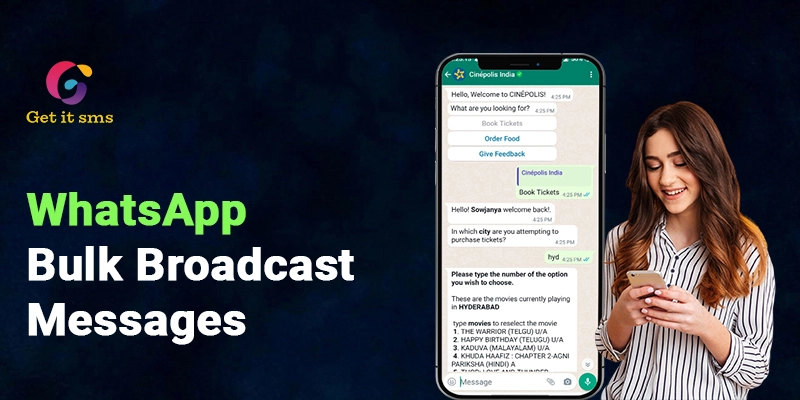
WhatsApp bulk broadcast without getting your number banned is the goal of every business, yet most get it wrong. For businesses, WhatsApp broadcasts can be a powerful tool to share offers, product updates, reminders, and important updates to thousands of customers at once.
But hit that button the wrong way and your number gets banned. The problem isn’t just “sending too many messages.” It is much deeper than that.
Recipient consent, spam complaints, using unofficial tools, message relevance, and your account quality score all decide whether your broadcast lands safely or gets flagged.
In this guide, we will learn how to send bulk WhatsApp broadcasts without getting numbers banned, the safest ways to broadcast at scale, and how to recover if you ever get banned.
Why Does WhatsApp Ban Numbers During Bulk Broadcasts?
WhatsApp is not trying to make your business life harder. It is just simply trying to keep its users from drowning in spam. Let’s go through some numbers that put it in perspective. As per studies, Meta bans an average of over 2 million WhatsApp accounts in India every month.
Globally, it bans around 8 million accounts every month to prevent spam and scams. Plus, more than 95% of these bans happen due to authorized automated or bulk messaging tools. In short, most bans happen because of spam-like sending behaviour. Here’s what actually triggers it:
| Trigger | Why It Happens | Risk Level |
| High spam-report rate | Many users report your messages because they find them unwanted or irrelevant. | High |
| No opt-in/cold messaging | You contact people who have not permitted you to receive messages from your business. | High |
| Unofficial tools or modified apps | Unofficial tools, modified WhatsApp apps, or scraping tools may violate WhatsApp’s rules. | Critical |
| Sending too fast on a new number | A sudden jump in messaging activity can look unusual and may trigger account checks. | Medium |
| Low message quality | Poor content, broken links, misleading offers, sending the same promotional messages to numerous users, and negative customer feedback can hurt message quality. | Medium |
| Identical bulk messages | Sending the exact same promotional text to a large audience can make your campaigns feel spammy and irrelevant. | Medium |
Notice something? Sending too many messages is not just a problem, but how they are sent is one, too. Learning how to send WhatsApp bulk messages the right way matters more than how many you send.
Can Businesses Send WhatsApp Bulk Broadcasts Without Getting Banned?
Yes, but only if they follow Meta policies and use the official WhatsApp bulk sender or WhatsApp Business API, get real consent, and send relevant content. Businesses that get banned usually skip one of these steps.
Do this:
- Use an official bulk WhatsApp sender or WhatsApp Business API
- Send messages only to opted-in customers.
- Send relevant and personalized content.
Not this:
- Use unofficial bulk senders to send bulk messages
- Message random or purchased number lists
- Send the same generic message to everyone
Follow these simple rules, and you can send WhatsApp bulk broadcasts without getting your number banned.
WhatsApp Business App vs WhatsApp Business API: Which Should You Use?
Businesses can use both WhatsApp Business apps and the official Meta API to send bulk broadcasts on WhatsApp. But the choice between the two depends on how your business communicates with customers.
The WhatsApp Business app is a free version built for small businesses or solo owners who deal with a limited number of customers. On the other hand, WhatsApp API is a more effective option to reach a large number of audience and needs advanced features like automation and unlimited broadcasts.
| Feature | WhatsApp Business App | WhatsApp Business Platform |
| Cost | Free | Paid, usage-based |
| Contact limit per broadcast | 256 | Unlimited (tier-based) |
| Needs saved contacts | Yes | No |
| Personalization | Basic | Full (name, order ID, links, buttons) |
| Automation | Basic quick replies and away messages | Advanced automation |
| CRM integration | Limited | Seamlessly integrate with CRM, e-commerce tools like Shopify, and other business platforms |
| Campaign tracking | Limited | More detailed tracking and analytics |
| Ban risk at scale | High risk of ban for bulk sending | Low when done via official tools like GetItSMS |
| Team access | Limited to a few devices | Unlimited agents and users |
| Best for | Small Businesses | Growing and larger businesses |
If your business deals with a limited number of customers, the free WhatsApp Business app works fine. But if your brand needs to reach customers at scale and needs advanced features like automation, a WhatsApp AI chatbot, or a shared team inbox, WhatsApp Business API is the best option for you to send bulk WhatsApp broadcasts without getting banned.
7 Ways to Send Bulk WhatsApp Broadcasts Without Getting Banned
Now that you are well aware of what gets your number banned, let’s explore some safe ways to send bulk WhatsApp broadcasts:
1. Use the Official WhatsApp Business API
Unofficial tools often come with promises like “unlimited free messaging”. But sooner or later they break WhatsApp’s rules and get caught. So just don’t fall for them.
Do this instead: Connect with official WhatsApp Business API providers like GetItSMS to make sure you stay compliant with Meta’s policies and keep your account safe.
Explore some of the best WhatsApp Business API providers in India to find one that fits your sending volume and budget.
2. Only Message Contacts Who’ve Opted In
Never message your customer without seeking consent. It is one of the fastest ways to get reported.
Do this instead: Always collect WhatsApp opt-in from customers before sending any messages. You can either add a checkbox to your website, ask customers to fill out a sign-up form, or use Click-to-WhatsApp ads.
3. Use Meta-Approved Templates for All Business-Initiated Messages
Each message you initiate outside an active conversation window requires a Meta-approved template. It keeps your content non-spammy.
Do this instead: Create and submit a WhatsApp message template for Meta’s approval to send bulk messages without getting blocked or banned.
4. Warm Up New Numbers Gradually
Blasting too many messages in a single day can get your number being flagged as spam.
Do this instead: Start your bulk campaign with small numbers. As you maintain a high-quality rating in your WhatsApp Business Manager, Meta will automatically upgrade your daily messaging tier to unlimited unique contacts daily.
5. Personalize Messages with Dynamic Variables
Sending the same text to hundreds of thousands of contacts might look like spam to WhatsApp’s filters.
Do this instead: Use pre-approved templates with placeholders to include custom text like customer name, order number, or last purchase to make the message feel more personal.
Platforms like GetItSMS let you pull this personalized variable data straight from a CSV file or CRM.
6. Segment Your Audience Instead of Blasting One List
Not every customer wants the same message. Sending the same offers to the entire contact list can make your message feel irrelevant.
Do this instead: Divide your contact list based on interests, location, loyal customers, cart abandoners, and buying stage. It helps you deliver the right message to the right customer at the right time and boost engagement.
7. Monitor Your Quality Rating Dashboard Weekly
WhatsApp uses a green (High Quality), yellow (High Quality), and red (Low Quality)quality rating to show how users respond to your business. It simply gives you a quick quality check for your account.
Do this instead: Check it every week to catch issues before they turn into a ban.
WhatsApp Bulk Broadcast Tiers and Limits Explained
Meta doesn’t just offer every WhatsApp number unlimited sending power right away. Each number gets a tier that decides how many unique contacts you can send messages to per day.
If you are planning to run Bulk WhatsApp campaigns, here’s what to keep in mind:
| Messaging Tier | Daily Unique Contact Limit | How to Upgrade |
| Tier 1 | Up to 1,000 unique customers in 24 hours | Maintain a high-quality rating and positive customer engagement. |
| Tier 2 | Up to 10,000 unique customers in 24 hours | Continue sending relevant messages with low spam reports and block rates. |
| Tier 3 | Up to 100,000 unique customers in 24 hours | Consistently achieve strong delivery rates, replies, and customer interactions. |
| Tier 4 | Unlimited unique customers in 24 hours | Maintain excellent account quality and follow WhatsApp’s messaging policies. |
Pro Tip: WhatsApp automatically upgrades your messaging tier based on your account quality rating, customer engagement, and how well you follow Meta’s messaging policies.
How to Send WhatsApp Bulk Broadcasts with GetItSMS Without Getting Banned?
Sending bulk WhatsApp broadcasts can be useful for promotions, updates, and customer follow-ups, but it comes with the risk of getting your number banned. With GetItSMS, you can easily send bulk broadcasts while staying within compliance:
Step 1: Connect your WhatsApp Business number
Link your business number with an authorized WhatsApp Business API solution like GetItSMS. The platform will help you with Meta business verification.
Read our guide on how to apply for WhatsApp Business API to learn in detail.
Step 2: Build your opt-in contact list
Import contacts who’ve already agreed to hear from you. Businesses can pull this out from a CSV file or CRM system. Now upload your contact list.
Step 3: Create and submit your message template
Navigate to the template section in the dashboard and create your message template while adding placeholders like [Customer Name], [Order ID], or [last purchase]. Submit it for Meta approval.
Step 4: Segment your audience
Divide your contact list by interest, location, buying stage, or past purchases inside the dashboard to send tailored messages.
Step 5: Create Your Broadcast Campaign
Go to the Broadcast menu and tap on “Create Campaign.” Now add a campaign name. Select contact lists and choose a template.
Step 6: Schedule and Send
Choose between sending a broadcast immediately or scheduling it for later to send the right message at the right time. The platform even allows you to assign campaigns to specific teams.
Step 7: Track your quality rating in one place
You can even check your campaign performance and key metrics like delivery rate, message status, and open rate via the analytics and reporting menu to catch issues early.
What Happens If Your WhatsApp Number Gets Banned And How to Recover
A ban simply shuts down everything on that number. It means you are immediately disconnected from the service and lose access to your account. A message, “This phone number is banned from using WhatsApp,” will pop up on the screen.
But not every ban means the same. Here’s what you might be dealing with and how to fix that:
| Situation | What It Means | What To Do |
| Temporary restriction | Limited sending for a few days. A timer on your screen will appear for 24 or 48 hours. | Wait for the timer to expire to access your account again. If it continues, it will lead to a permanent ban. |
| Flagged number | Lower limits until quality improves | Fix content and list quality and try to rebuild it slowly. |
| Permanent ban | The number can’t be used again. You will see a message saying your number is banned for using WhatsApp without any countdown timer, | Appeal through Meta or move to a new number. |
If you think your ban was a mistake, you can file an appeal or request a review via Meta Business Support. Here’s how you can appeal:
- Go to WhatsApp and click “Request a Review” on the ban screen
- Submit your appeal with a brief explanation of your business and how you use WhatsApp.
- Now just wait for a response from Meta’s side. It can take 24-72 hours to get a response.
If it is approved, your account is restored with a warning regarding your quality rating. But if your apparel gets rejected, it means the ban is permanent, and requesting a new number is the only option available for you.
Conclusion
Learning how to send a WhatsApp bulk broadcast without getting your number banned comes down to several key factors. It includes using the official WhatsApp Business tool, getting customer consent, following Meta’s rules, using pre-approved templates, segmenting contact lists, and personalized messages. The risk of a ban generally arises when businesses ignore these factors and send messages too frequently. Always start with a small number of contacts and scale your campaigns gradually.
In case your number gets banned for any reason, you need to review your messaging practices and follow the proper appeal process. For businesses that want to manage bulk WhatsApp broadcast campaigns at scale, GetItSMS is all that you need. The platform offers access to the official WhatsApp Business API along with features like broadcasting, contact segmentation, AI chatbot, seamless integration, real-time analytics, trigger-based WhatsApp automation flow, and rich-media messaging support. Connect with GetItSMS today and keep your number compliant and reduce the risk that comes with unofficial bulk messaging.
Frequently Asked Questions
Yes. It is legal to send bulk broadcasts on WhatsApp only if you use the official WhatsApp Business tool, follow Meta’s messaging policies, and collect proper customer consent.
It depends on your business needs and message requirements. The WhatsApp Business app works for small-scale broadcasts, while the WhatsApp API is built for large-volume campaigns with automation and seamless integration.
To improve sender quality rating, send relevant content to only opt-in customers, reduce spam reports, remove contacts who no longer want to hear from you, and maintain good engagement.
Yes. Platforms like GetItSMS enable brands to schedule WhatsApp broadcasts to send the right message at the right time.
The right WhatsApp bulk sender tool depends on your message volume and budget. However, platforms like GetItSMS offer official access to the WhatsApp API along with bulk broadcasting automation, template approval support, and campaign tracking.



 within 24
Hrs +
60
Days Free API Panel
within 24
Hrs +
60
Days Free API Panel