

 within 24
Hrs +
60
Days Free API Panel
within 24
Hrs +
60
Days Free API Panel
WhatsApp API for Event Marketing – Complete Guide 2026
 3 minutes read
Last Updated :
August 21, 2026
Too Long? Read This First
- WhatsApp Business API for event marketing helps you promote, register, remind, and follow up with attendees automatically at scale from one single platform.
- WhatsApp messages have significantly higher visibility than traditional email, helping event organizers increase registrations, improve attendance rates, and boost overall event engagement.
- Event organizers can use the WhatsApp API to automate registration, deliver digital tickets, provide 24/7 support, send timely reminders, and collect post-event feedback.
- Use Click-to-WhatsApp ads, WhatsApp Forms, and AI chatbots to cut drop-offs, reduce no-shows, and handle attendee FAQs 24/7 without manual work.
- For event organizers who want everything in one place, GetItSMS combines WhatsApp, RCS, and SMS with transparent pricing and zero markup on Meta cost.
chat_bubble
Want To Send Bulk SMS?
If yes, then test our service for FREE.
Want To Send WhatsApp Msg?
If yes, then test our service for FREE.
code
Get a Free Trial of WhatsApp API
WhatsApp Business API for event marketing is changing how businesses promote and manage events. If you’ve also ever struggled with low RSVPs, missed reminders, or attendees who register but never show up, you’re not alone.
The problem often isn’t your event, but it’s your channel. With an open rate of 20%, event updates sent via email often get missed. WhatsApp offers an open rate of 98% and 90% of messages read within 3 minutes of delivery, making it one of the most effective communication channels.
WhatsApp Business API puts your invites, reminders, and updates directly in their WhatsApp inbox, which most people check multiple times a day. No app to download or form to dig up.
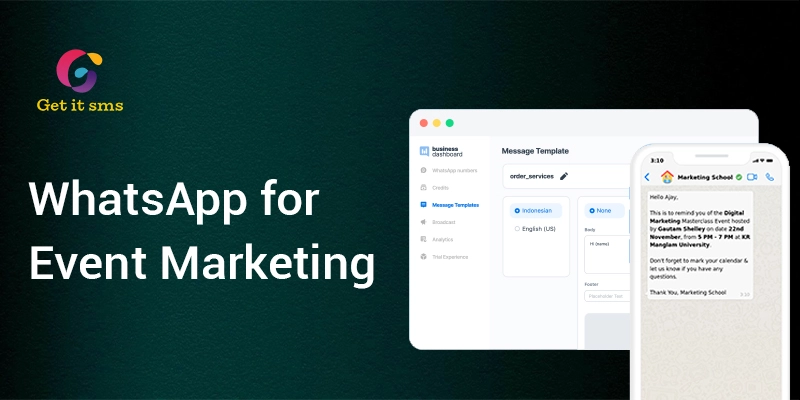
Whether it’s a webinar, conference, trade show, or corporate event, WhatsApp API lets you automate invitations, registrations, reminders, and post-event follow-ups from a single platform. In this guide, we’ll cover how to use WhatsApp API for event management, with setup and use cases to create better event experiences.
What is WhatsApp Business API for Event Marketing?
WhatsApp Business API for event marketing is an enterprise tool that enables event organizers to automate, scale, and manage attendee communication. It helps them promote events, capture registration, and connect with thousands of attendees at once.
Unlike the regular WhatsApp Business App, the API is built for growing event businesses that want to integrate with CRM, event platforms, and registration systems to handle large-volume messages and multi-agent support. Using Meta Business API, event organizers can:
- Send registration confirmations and event reminders automatically.
- Share event schedules, venue information, and speaker line-ups directly within chat.
- Promote events using bulk broadcast campaigns.
- Set up AI-powered chatbots for handling FAQs and 24/7 attendee support.
- Manage multiple attendee chats with a shared team inbox.
- Get a verified blue tick badge for trust and credibility.
- Seamlessly integrate with your existing CRM and event or ticketing tools.
Integrating WhatsApp API into your event marketing strategy helps boost registrations, reduce no-shows, and create meaningful attendee interaction at each stage of the event journey.
Top 10 Use Cases of WhatsApp Business API for Event Marketing
WhatsApp Business API does more than send reminders. Here are the top ways event organizers use it to promote, run, and follow up on their events.
1. Event Promotion Campaigns
The first thing to a successful event is attracting the right audience. Event organizers can send event announcements, early bird offers, speaker reveals, and countdown campaigns to their entire opt-in contact list at once using bulk WhatsApp messaging.
You can even run Click-to-WhatsApp ads that launch a direct chat thread with a pre-filled promotional message.
Template Example: “[Event Name] is back! Early bird tickets are now live. Register today and save your seat before prices increase.”
2. Conversational RSVP & Registration
Once attendees are interested, make it easier for them to sign up. Use WhatsApp forms to enable attendees to complete registration by sharing their name, email, and ticket choice inside the chat. They no longer need to visit a separate landing page and cut drop-off.
Template Example: “Thanks for showing interest in [Event Name]. Tap here to complete registration within a minute.”
3. Digital Pass & QR Code Delivery
Once someone registers, event organizers can send scannable tickets, passes, or wallet links instantly as media attachments for easy check-in using WhatsApp API.
Template Example: “Hey [Attendee Name], your registration for [Event Name] is confirmed. Here’s your digital ticket to show at entry.”
4. Automated Event Reminder
No-shows are one of the biggest issues faced by event organizers. WhatsApp API lets you send automated reminders in a certain sequence to keep attendees informed and reduce no-show rates.
| Time | Reminder Type | Template Example |
| 7 days before | Event details | “Just a week to go! Here’s everything you need to know about [Event Name].” |
| 1 day before | Venue info | “See you tomorrow at [Venue Name]! Here’s your parking and entry info.” |
| 2 hours before | Final countdown | “We’re live in 2 hours — get ready to join us!” |
| At event start | Live reminder | “We’ve started! Tap here to join [Event Name] now.” |
5. Live Event Communication
During the event, keep attendees in the loop by sending real-time updates on room changes, parking alerts, speaker announcements, and other important alerts. It keeps them well-informed and avoids confusion.
Template Example: “Session Update! The AI marketing workshop will now begin at 2:30 PM instead of 2:00 PM in Hall B. See you there.”
6. Exhibitor & Sponsor Lead Capture
WhatsApp API makes it easier for exhibitors and sponsors to capture high-quality leads during the events using WhatsApp QR codes. Attendees can simply scan the QR code and automatically receive a brochure, product catalog, and booking link. No need for manual follow-up or printed handouts.
Template Example: “Thanks for visiting our booth. Interested in learning more? Here’s our brochure and a link to book a demo.”
7. Provide 24/7 Attendee Support with AI Chatbots
Attendees generally have questions about the schedule, venue, speaker information, Wi-Fi passwords, convention attire, and registration. Utilize AI chatbots to respond to these FAQs instantly, without requiring human involvement.
8. Upselling VIP Passes and Add-ons
Boost event revenue by promoting VIP passes, premium workshops, parking passes, and exclusive sessions via personalized WhatsApp messages.
Template Example: Upgrade your experience! Get VIP access, priority seating, and an exclusive networking session for just ₹999. Reserve your upgrade today.”
9. Post-Event Feedback Collection
Collect WhatsApp feedback when the attendee experience is still fresh. Send a quick WhatsApp survey to gather ratings and suggestions, and insights that help you improve during your next event.
Template Example: “Thanks for joining us at [Event Name]. We love to hear your experience. We would highly appreciate it if you could please take a minute and complete our short survey by just tapping a link below.”
10. Promote Future Events
Stay connected with past attendees by sharing upcoming events, early-bird offers, and exclusive invitations using WhatsApp broadcast. It encourages repeat registration and helps build stronger customer relationships.
Template Example: “Loved our [Previous Event]? Join us again in our upcoming event [Event name] on [Date]. Get early access and save up to 20% on registering today.”
Best Practices for WhatsApp Event Marketing
Do’s
- Collect WhatsApp opt-ins from attendees before messaging.
- Segment your audience for relevant messages.
- Personalize with names and event details.
- Schedule reminders at the right times.
- Track opens, clicks, and RSVPs.
- Create and send interactive WhatsApp API templates approved by Meta for better engagement.
Don’ts
- Don’t spam attendees with too many messages.
- Avoid sending irrelevant promotional messages.
- Don’t message without consent.
- Don’t ignore attendee replies.
How to Set Up WhatsApp Business API for Event Marketing?
Setting up WhatsApp Business API for event marketing is a simple and instant process. Here’s a step-by-step guide you need to follow:
Step 1: Choose an Official WhatsApp Business API Provider: To begin, you need to choose a Meta-approved WhatsApp API provider like GetItSMS to access the API.
Step 2: Verify Your Business: Complete the required business verification with Meta. You also need to add your business phone number. This will help Meta confirm your business is real and unlock all the API features.
Step 3: Connect Your Event Platform or CRM: Link your existing event registration tool and CRM systems with WhatsApp to ensure data is synced and to send automated personalized messages.
Step 4: Create Message Templates: Create your WhatsApp message templates for invites, confirmations, follow-ups, and more. Submit them to Meta for approval to start sending messages.
Step 5: Launch Automated Campaigns: Once everything is approved, set your automated sequence for promotions, reminders, and post-event follow-ups and let them run on their own.
Why Choose GetItSMS for Event Marketing?
Choosing the right one among the many available WhatsApp Business API providers is equally important as implementing it. GetItSMS is a complete WhatsApp API solution designed to help event organizers to attract attendees, automate conversations, and drive registration from a single dashboard.
Here’s why you should choose GetItSMS for event marketing:
- Official WhatsApp Business API partner with instant setup and onboarding support.
- 0% markup on Meta cost and offers transparent pricing plans.
- Omnichannel support that brings WhatsApp, RCS messaging, voice, and bulk SMS service under one roof.
- No-code AI chatbot builder to automate customer conversations and lead qualification.
- Advanced API features like shared team inbox, automated workflows, and campaign analytics to manage the entire attendee journey.
- Bulk WhatsApp messaging support to send event promotions, reminders, and announcements to thousands of attendees at once.
- Seamless CRM and event registration tool to keep the customer data synchronized.
- Dedicated support team to guide with setup, templates, and compliance.
The platform eliminates coding and the need to juggle between different tools. Just a single platform to manage your entire event marketing from promotion to post-event engagement.
Conclusion
WhatsApp Business API for event marketing makes it easier to stay connected to attendees without juggling multiple communication channels. Rather than sending emails that never get opened, it enables you to reach people directly on the app they’re already active on every day. From sending invitations, collecting registrations, to sharing reminders and event updates, WhatsApp API for event marketing helps you manage and automate everything seamlessly. Its advanced features like AI chatbots, WhatsApp Forms, Click-to-WhatsApp Ads, and automated workflows, shared team inbox not just reduce manual workload but also improve attendee engagement.
Instead of sending one-way messages, the real value comes from offering a smoother and more personalized experience. Whether you’re hosting a webinar, conference, exhibition, or corporate event, WhatsApp API helps you reach the right audience at the right time. If you’re ready to integrate WhatsApp API into your event marketing, connect with GetItSMS today. The platform helps you turn the entire event communication into an engaging and automated experience.
Frequently Asked Questions
WhatsApp API for event marketing generally takes between 1 to 7 business days. It depends on Meta Business Verification and message template approvals.
Of course. You can use WhatsApp API for virtual webinars and events as well. It works the same way as sending registration confirmations, join links, reminders, and post-webinar recordings.
The WhatsApp API for event marketing cost depends on Meta’s conversation charges based on the types of messages and the recipient’s country, and your provider's fees.
Yes. Unlike the WhatsApp Business API, the API is designed for large-scale messaging, automation, and managing thousands of attendees altogether.
Yes. WhatsApp API comes with end-to-end encryption that keeps the conversation and attendee information secure and protected.
Get your business on WhatsApp with GatitSMS
Try for freeRecent Posts