

 within 24
Hrs +
60
Days Free API Panel
within 24
Hrs +
60
Days Free API Panel
Invoices via WhatsApp Business API – How to Send Guide
 3 minutes read
Last Updated :
August 21, 2026
Too Long? Read This First
- Send invoices using the WhatsApp Business API to reach customers instantly with open rates of 98% compared to 20-25% of email.
- Instantly send invoices via WhatsApp by connecting with an API provider, linking your billing software, creating an approved invoice template, and going live.
- Use the Utility template category for sending invoices and reminders. It gets approved faster than marketing templates.
- Automate invoices using WhatsApp Business API to cut manual follow-up and speed up payment collection.
- Track delivery, read status, and payments from a single dashboard rather than juggling multiple tools.
- GetItSMS is an official Meta Business Partner that offers you instant access to API access, ready-to-use templates, and automation.
chat_bubble
Want To Send Bulk SMS?
If yes, then test our service for FREE.
Want To Send WhatsApp Msg?
If yes, then test our service for FREE.
code
Get a Free Trial of WhatsApp API
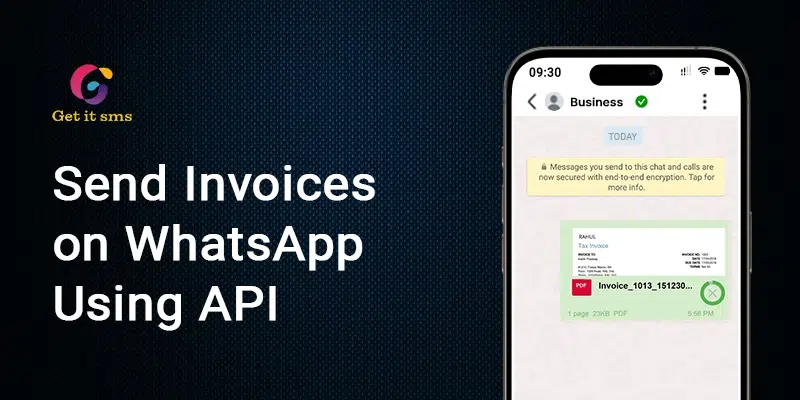
Learning how to send invoices using the WhatsApp Business API can change the way your business gets paid. Imagine you create an invoice, and your customer sees it on their phone within seconds. No spam folder, or I didn’t see your email excuse. Just a tap.
Where emails sit unopened in crowded inboxes with a hovering open rate of 20%, WhatsApp flips that completely. With an open rate of 98% and 90% of messages read within 3 minutes, invoices sent via WhatsApp get paid faster.
The WhatsApp Business API takes this even further. It enables businesses to automate invoices on WhatsApp to trigger the moment the order is placed. This speeds up payment collection, eliminates manual data entry, and improves customer experience.
In this blog, you will learn how to send invoices on the WhatsApp API, set up approved invoice templates, and automate the entire process.
What is WhatsApp Business API for Invoices?
WhatsApp Business API invoicing means sending bills, payment requests, and receipts to customers directly on WhatsApp, instead of email or SMS. It connects your accounting software, like QuickBooks, Zoho Books, or Tally, to WhatsApp through an API provider.
Using this, merchants and e-commerce platforms can:
- Send order confirmation and secure PDF invoices automatically.
- Share the payment request with direct UPI and Netbanking to pay within WhatsApp.
- Automate reminders for overdue or pending invoices.
- Let the customer reply to invoice messages for support or queries.
This works differently from the free WhatsApp Business App. Where the app works fine for one-to-one invoice sharing, WhatsApp API integration helps you automate invoices, attach dynamic PDFs at scale, and integrate with your billing system. It is very useful for businesses like e-commerce stores, hotels, and B2B service providers for sending a high volume of invoices.
Why Does WhatsApp Beat Email for Sending Invoices?
Invoices are not just about sending a bill. The real challenge is getting customers to open it, review it, and pay quickly. This is where WhatsApp emerges as an effective option to improve payment collection and customer response rate.
But what makes WhatsApp a better choice over email? Here’s why:
| Metric | ||
| Average Open Rate | 98% | 20–25% |
| Message Visibility | Usually within minutes | Can remain unread for hours or days |
| Customer Response Rate | High | Moderate to Low |
| Supports One-Tap Payments | Yes | Limited |
| Two-Way Communication | Instant chat replies | Slower back-and-forth |
| Automation Support | Yes (via API) | Yes |
| Global Active Users | 3+ Billion Users | No single email platform reaches similar engagement |
| Impact on Collections | Faster follow-ups and fewer overdue invoices through automated reminders | Often requires manual follow-ups |
The gap itself explains why more businesses now use WhatsApp Business API over invoices instead of email. The platform fixes the real problem. Many businesses are shifting invoices and payment reminders over WhatsApp, reporting instant response and less manual chasing.
How to Send Invoices on WhatsApp Business API: Step-by-Step
Here’s how you can send invoices on WhatsApp Business API:
Step 1: Get WhatsApp Business API Access
Sign up with an Official Meta Business Partner like GetItSMS to access the WhatsApp Business API account.
Step 2: Connect Your Billing or Accounting Software
Link your invoicing software, such as QuickBooks, Zoho Books, Tally, or your CRM system, with the WhatsApp API through a webhook or direct integration. It allows you to send a WhatsApp message as soon as an invoice is created or set as “paid”, “due” or “overdue”.
Step 3: Create an Invoice Message Template
Meta requires pre-approved templates for any message sent outside an active chat. Build a message with:
- A header for the invoice PDF or images.
- A body with the invoice number, due date, and amount.
- A footer with a short note (optional).
- A button for “Pay Now” and “View Invoice.”
Submit it under the utility message category. These message templates cost less than marketing templates and get faster approval.
Step 4: Add Dynamic Variables
Add variables such as Customer, invoice, amount, and due date to the template. WhatsApp API enables you to auto-fill from your billing system.
Step 5: Attach the Invoice PDF
Have a secure invoice file, a publicly accessible URL, or use your provider’s media upload API. This file is downloaded as a message header by the template.
Step 6: Send and Automate
Send an invoice automatically when a new order is placed, a subscription is renewed, payment is due, and the recurring billing cycle starts. You can also set up payment reminders before and after the due date if the invoice remains unpaid.
Step 7: Track Delivery and Payment Status
Monitor invoice message delivery, read, and response rate to know the real results. You can even integrate a payment gateway to see who opened the invoice and paid from a single dashboard.
Examples of WhatsApp Messages Template for Invoices
Different stages of the invoice require different messages. Here are some WhatsApp invoice templates for you:
1. Initial Invoice Delivery
Send this message right after generating an invoice. It helps in the secure delivery of the documents and gives clear payment instructions.
Template Example:
“Hi [Customer Name], we hope this message finds you well. Please find attached your invoice #[Invoice Number &] for [Product/Service] provided on [Date]. Invoice Amount: [Amount] Due Date: [Due Date]. Make payment here [Payment Link] and confirm once payment is made.”
Variable Guide:
- Customer Name
- Invoice Number
- Service/Product Description
- Total Amount
- Due Date
- Payment Link (or attached PDF)
2. Gentle Payment Reminder
Send a friendly reminder before or after the due date. Keep the tone polite instead of pushy.
Template Example:
“Hi [Client Name], this is a friendly reminder that your invoice #[Invoice Number] for [Amount] is due on [Due Date]. You can complete payment here [Payment Link]. If you have any questions or need further assistance, please don’t hesitate to reach out.”
Variable Guide:
- Customer Name
- Invoice Number
- Total Amount
- Due Date
- Payment Link (or attached PDF)
3. Payment Received & Thank You
Use this message to confirm the successful transactions. It closes the loop and improves trust for the next time.
Template Example:
“Hi [Client Name], we are pleased to inform you that we have received your payment for invoice #[Invoice Number]. Thank you for your prompt payment. If you have any further questions, feel free to contact us.
Variable Guide:
- Client Name
- Amount Paid
- Invoice Number
4. Recurring Service Invoice
Send this message automatically for subscription billing or ongoing retainers.
Template Example:
“Hey [Client Name], we hope you’re doing well. Please find attached your invoice #[Invoice Number] for [Service] for the period of [Month/Service Period]. Invoice Amount: [Amount]
Due Date: [Due Date]. Thank you for your continued business.”
Variable Guide:
- Client Name
- Service/Plan Name
- Amount
- Billing Period
- Due Date
- Payment Link
How Does WhatsApp Automate Invoice Delivery and Payment Follow-Ups?
WhatsApp automation simply takes out the manual step. Once you set it up, invoices get delivered automatically while improving cash flow and reducing support costs.
Here’s how the flow works:
| Step | What Happens |
| Purchase or service completed | Customer buys a product or finishes a service. |
| Invoice generated | Your billing software creates the invoice automatically. |
| Webhook triggers | The moment the invoice status changes to “sent,” a webhook fires. |
| WhatsApp sends the invoice | The API delivers the pre-approved template with the invoice attached. |
| Reminders trigger automatically | If the invoice stays unpaid past the due date, a payment reminder is sent on its own. |
No manual sending or checking who paid or not needed. The system will handle it all. WhatsApp API platforms like GetItSMS support webhook-based automation.
Why do businesses choose GetItSMS for sending invoices via WhatsApp?
GetItSMS is an official Meta WhatsApp Business API partner that enables businesses to send invoices, receipts, and payment reminders on WhatsApp without any technical headaches.
Here’s what makes GetItSMS a good choice for WhatsApp invoice delivery:
- Instant WhatsApp API setup: Get your verified WhatsApp Business Account and number active instantly without any setup charges.
- Ready-to-use templates: No need to start from scratch. Compliance-ready invoice, receipt, and reminder message templates.
- Seamless automation & Integration: Seamlessly connect with the billing tools you already use to automate invoices on WhatsApp.
- Analytics & reporting: Easy-to-use dashboard to track delivery status and read receipts, eliminating the need to juggle between multiple tools.
- Affordable Pricing: Built for high invoice volume, so cost stays low even when your business scales.
If you are still sending invoices manually, it’s time to automate to save time, collect payments faster, and eliminate manual follow-ups. GetItSMS goes beyond invoicing by also supporting broadcast messaging, an AI-powered chatbot, and integration with CRM and third-party tools to help your business grow.
Best Practices for Sending Invoices on WhatsApp
- Personalize the invoice: Use customer name, invoice number, amount, and due date to make the message feel more personal and build trust.
- Keep it short and simple: Long messages often get ignored. Try to keep your invoice clean by simply adding the amount, the due date, and the next step.
- Always add clear payment links: Don’t let your customer search for where to pay. Enable them to pay with a single tap.
- Test your template before rolling out: Before sending it to all your customers, check how it looks, the variables you added, and whether the payment links work or not.
Conclusion
Understanding how to send invoices using the WhatsApp Business API is the simplest way to faster payment collection without manual efforts. Instead of seeing your invoices sit in a crowded inbox, you can put them right in the app where your customers spend most of their time. It might seem like just a small channel huge. But it changes everything and ensures instant views, faster payment collection, lesser awkward follow-up calls, and reduced support load.
The best part is not a complicated process. Just get instant access to WhatsApp Business API via a verified partner like GetItSMS, connect your billing software, get your template approved, and enable automation to handle the rest for you. It makes sure invoices and payment reminders are sent at the right time to let your team spend less time chasing payments and more on growing business. If you are also looking to send invoices using WhatsApp Business API automatically, connect with GetItSMS to make this switch today with instant setup, ready-to-use invoice templates, automation, and easy integration with billing tools.
Frequently Asked Questions
Yes. Sending a WhatsApp invoice is completely legal as long as it is sent via verified WhatsApp Business API providers and follows regulations like GDPR and CCPA.
The cost mainly depends on your provider's fee charged by your provider and Meta’s conversation-based pricing, depending on the country and message category.
Yes. Platforms like GetItSMS enable you to schedule messages, including invoices, to send them at the right time instead of sending instantly.
Yes. But your messages must follow WhatsApp’s approved template structure. Many API providers let you personalize fields by adding customer name, invoice number, and more.
E-commerce stores, subscription services, agencies, and B2B companies can get the most out of WhatsApp invoices. Since they can send invoices often and require speed, automation, and reliable delivery tracking.
Get your business on WhatsApp with GatitSMS
Try for freeRecent Posts